Sage Cream color bg

FUSE

The Fastest Way to Connect Your Store to SAP

Fuse is Zaelab's own integration platform. It connects a commerce store to enterprise systems in real time, starting with SAP, and installs as a one-click app inside the commerce admin, so your team configures integrations where they already work.

See a Fuse demo
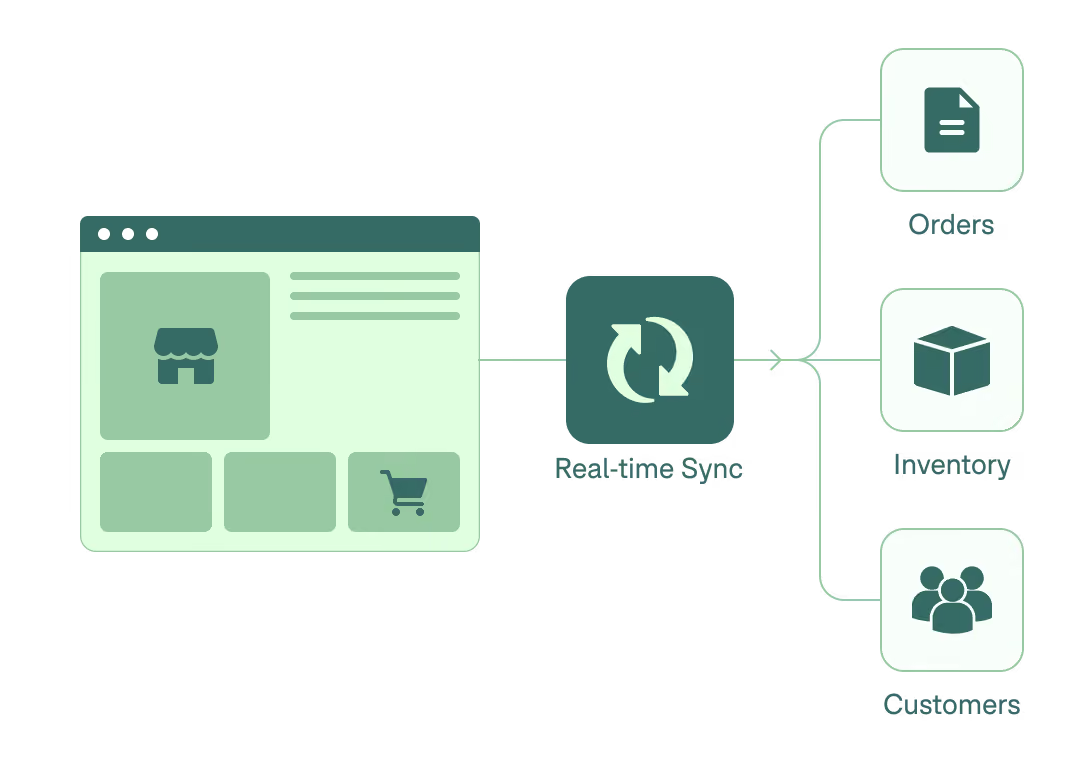
Diagram showing a web store interface connected to a real-time sync icon, which branches out to three labeled icons representing Orders, Inventory, and Customers.

THE SCALE

Enterprise B2B, Built to Scale

12

Connector types

7

B2B entities synced both ways

50

SAP proven in production

37

AES-256 encryption at rest

2

Commerce platforms

OVERVIEW

B2B Commerce Without the Custom Build

Fuse is Zaelab's own real-time integration platform. It connects your store to SAP and the rest of the back office, bidirectionally and observably, and it runs as a one-click app inside the commerce admin rather than as a separate middleware subscription you configure somewhere else.

Who it's for:

  • Merchants whose ERP is the system of record, SAP S/4HANA and SAP ECC first, since most Zaelab clients run SAP

  • PortulGo Enterprise customers, where Fuse is how orders reach AR and inventory reaches the storefront

  • Anyone paying MuleSoft, Boomi, or Jitterbit fees just to sync commerce data

Transparent background with a diagonal edge of a light gray and white checkerboard pattern at the top right corner.

HOW IT WORKS

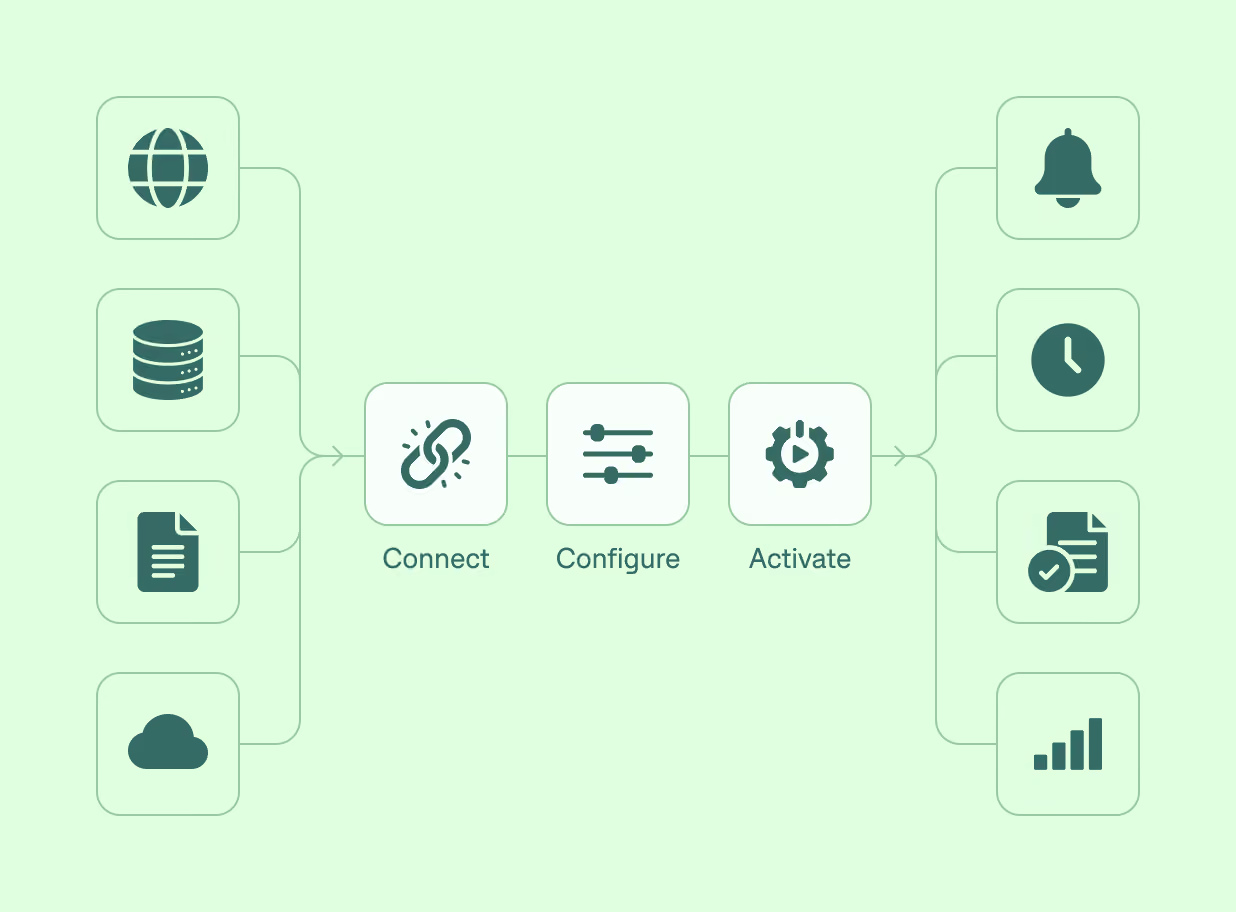
Connect, Configure, Activate All in One Flow

Three steps, all inside the admin you already use.

(01)

Connect

Pick a connector, SAP S/4HANA, SAP ECC, file feed, REST, and others, and enter your credentials.

(02)

Configure

Map fields visually, or let AI draft the mapping for you, then arrange the flow on a visual canvas: trigger, connector, transform, action.

(03)

Activate

Run on webhooks, schedules, or file drops. Every run shows up in Operation History with record counts, retries, and alerts, so you can see exactly what synced and what didn't.

Flowchart showing a process starting with four icons representing web, database, document, and cloud inputs converging to 'Connect' with a link icon, followed by 'Configure' with slider controls icon, then 'Activate' with a gear and play button icon, leading to four output icons for notification bell, clock, checked document, and signal bars.
Black background with a diagonal white and black checkerboard pattern across the top left corner fading into the black.

WHAT’S INSIDE

Built for Every Part of the B2B Order

All 23 modules ship in every package. The headline set:

Real, bidirectional sync

Inbound to the store: products with variants and images, multi-currency pricing, inventory, customers and companies, translations. Outbound to the ERP: orders, fulfillment and status, invoices.

AI-assisted mapping and diagnosis

AI drafts field mappings, suggests record identifiers, and analyzes errors row by row. It all runs through Zaelab's own private AI gateway, so your data isn't sent to public AI vendors by default.

Portable configuration

An integration exported as YAML from one store imports into another, even across platforms. Build it once, reuse it.

Full observability

Active integrations, platform health, recent runs, and webhook status, all in one operations view.

Connectors

SAP S/4HANA (OData) and SAP ECC (BAPI) are built and proven in production. File feed (S3, CSV, TSV, JSON), SAP IDoc, and generic REST are implemented. Pre-built framework connectors exist for Salesforce, NetSuite, JD Edwards, Epicor, Infor, and ServiceNow.

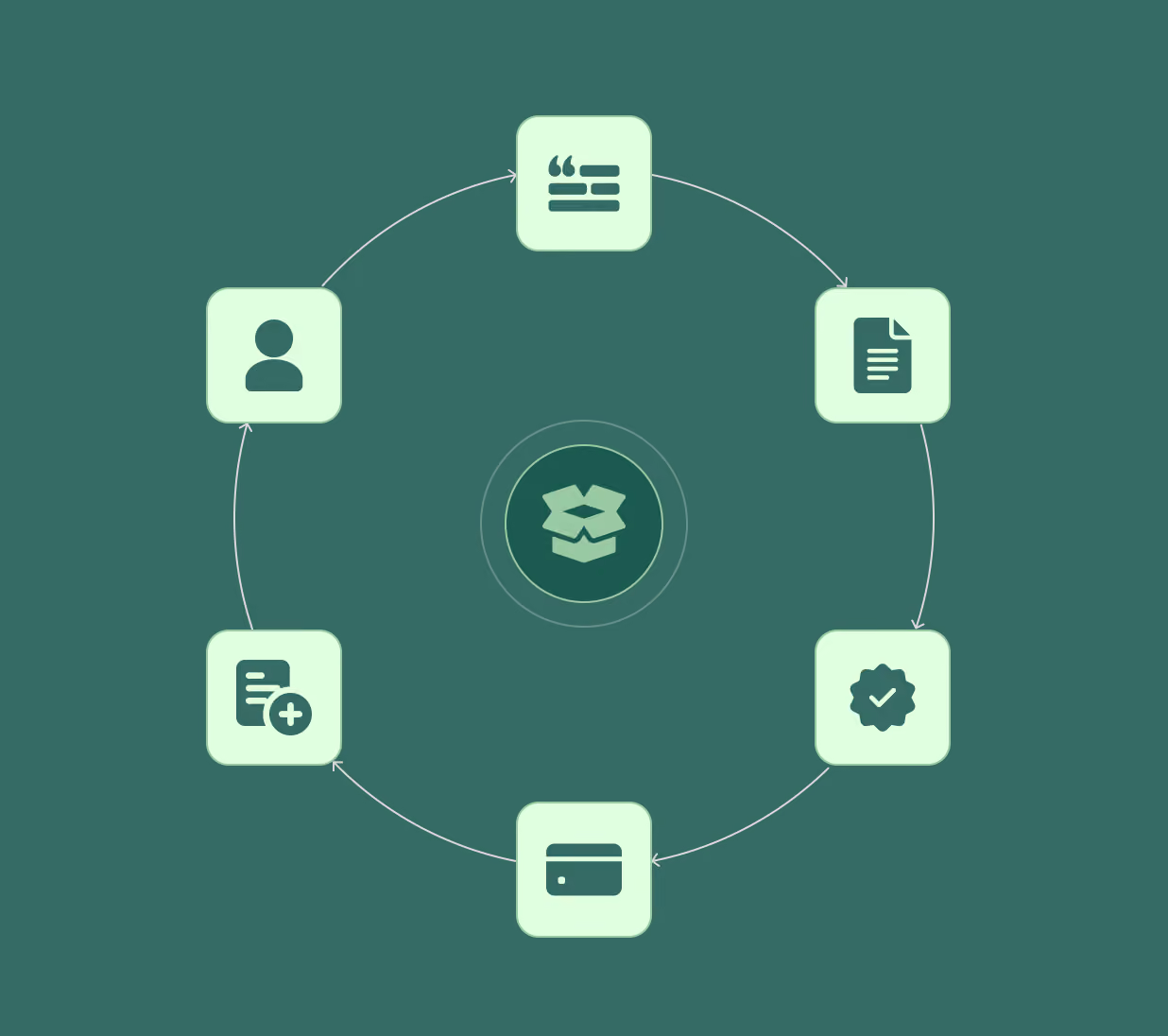
Circular diagram with six pale green rounded squares containing icons, connected by arrows around a central open box icon; icons represent user, speech bubble with quote, document, badge with checkmark, credit card, and document with add symbol on green background.
Transparent background with a diagonal edge of a light gray and white checkerboard pattern at the top right corner.

BEYOND THE PLATFORM

One Engine, Any Commerce Platform

Miniature shopping cart with cardboard boxes on a laptop keyboard, symbolizing online shopping or e-commerce, with blurred warehouse shelves in the background.

Fuse now runs as a working prototype inside the BigCommerce Control Panel, on the same core engine as the Shopify app, restyled with BigCommerce's design system. In a demo, a Shopify flow imported into a BigCommerce store with a single YAML file, products synced in from SAP, and orders flowed out to S/4HANA with the SAP sales-order number written back onto the BigCommerce order.

Person wearing a headset working at a desk with three screens displaying software code, a 3D brain graphic, and a package tracking webpage in a modern office setting.

PROVEN IN PRODUCTION

Enterprise-Ready by Design

SAP S/4HANA and SAP ECC connectors are built and proven in production, not just implemented. Credentials are encrypted at rest with AES-256, with API rate control and load testing behind the platform.

Fuse is Zaelab's own software, not a resold middleware layer, so the recurring cost of syncing commerce data to the ERP is built into the platform rather than paid to a third party.

Transparent background with a diagonal edge of a light gray and white checkerboard pattern at the top right corner.

IN THE SYSTEM

How It Fits the Connected System

A simple flowchart with three green rounded rectangles connected by arrows pointing right: Forge to Fuse CRM Spoke to SAP.

Fuse is the connective tissue of the Customer to Cash journey. It's how the storefront and the ERP stay in agreement in real time: orders captured in commerce reach AR and fulfillment, and inventory and pricing flow back to the buyer. It's the engine behind PortulGo's real-time ERP sync, and it connects Forge to SAP through the Fuse CRM Spoke.

Diagonally fading pattern of black and white diamond shapes with a green dotted overlay on the upper left corner, transitioning to solid black in the lower right.

WHAT’S NEW

New Capabilities, Shipping Fast

Jul 2026

AI inside Fuse: mapping assist, record-identifier suggestions, and per-row error analysis, all on Zaelab's self-hosted AI gateway.

Jun–Jul 2026

File feed connector: S3 drops with automatic CSV, TSV, and JSON detection, scheduled cron runs, and authenticated webhook endpoints.

Jun 2026

Operation History overhaul: per-run execution timeline, per-node messages, and on-demand debug capture, all on one flow engine.

May 2026

Deeper SAP coverage: multi-variant products from S/4HANA, multi-currency into Shopify Markets, images, metafields, and delivery IDocs.